Microsoft Access AI: Generate, Optimize & Validate SQL
SQL generators
6 powerful SQL generators for Microsoft Access
Each tool does one job well. Pick the one that matches your task, then open it or read its dedicated page.
| Generator | What it does for Microsoft Access | Open tool |
|---|---|---|
| Text-to-SQL | Turn plain-language questions into Microsoft Access queries, including joins, grouping, and report-ready SELECT statements. | Try free |
| SQL Optimizer | Speed up slow Access queries with index suggestions and fixes for costly joins and aggregation patterns. | Try free |
| SQL Validator | Catch Microsoft Access syntax errors in functions, aliases, and clause order, then return a corrected query. | Try free |
| SQL Explainer | Break down any Microsoft Access query in plain language with a summary and inline, highlighted comments. | Try free |
| SQL Formatter | Reformat messy Microsoft Access SQL with consistent indentation and your preferred style. | Try free |
| SQL Converter | Translate queries between Microsoft Access and SQL Server, MySQL, PostgreSQL, and more. | Try free |
Every tool is free to try and works with your Microsoft Access schema.
Helper tools
Get more out of Microsoft Access with helper tools
Add your schema and a little context so generated queries stay accurate and consistent with your standards.
-
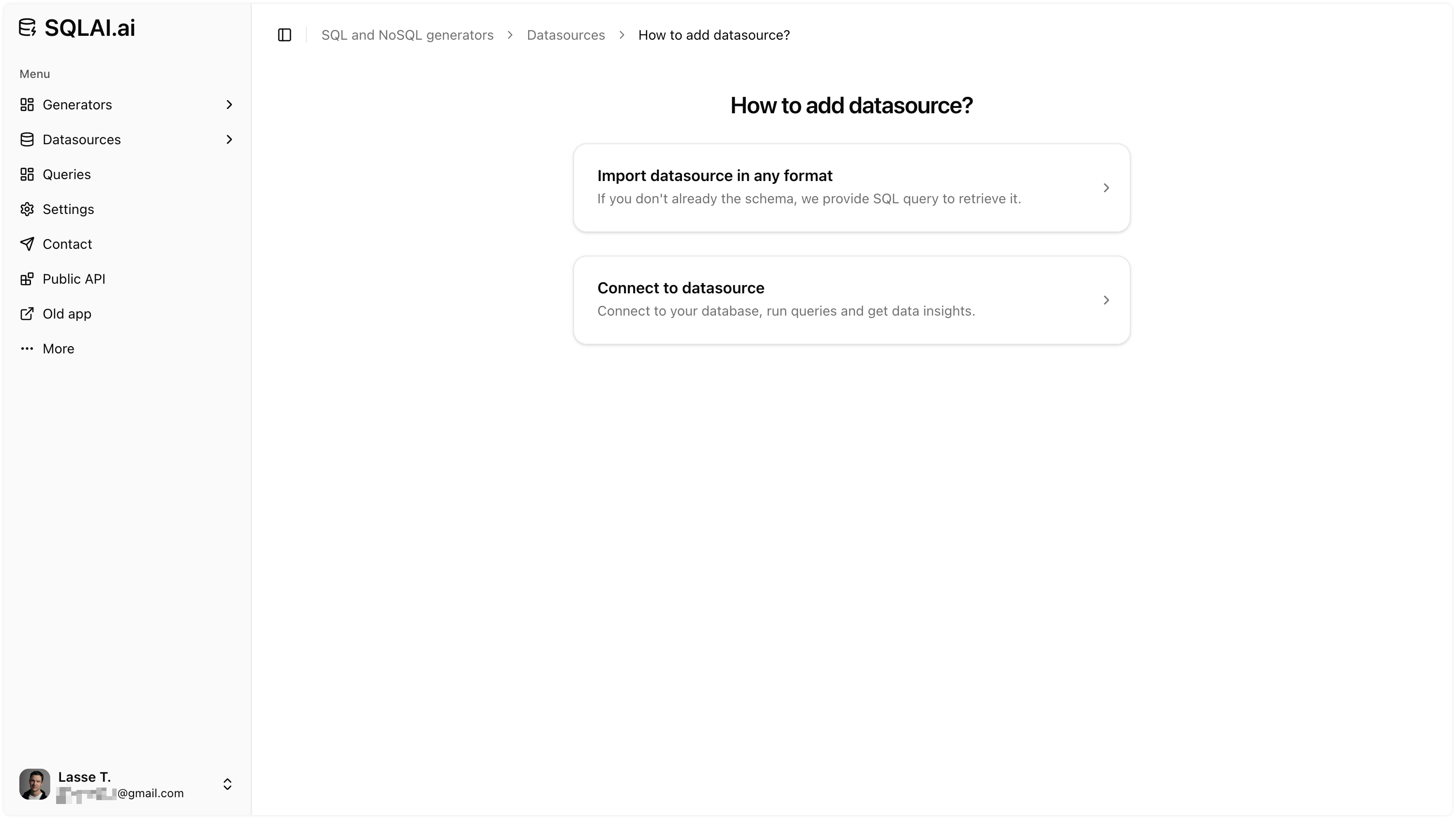
One-click schema import
Import your Microsoft Access tables and columns so AI generates schema-aware queries from the start.
-
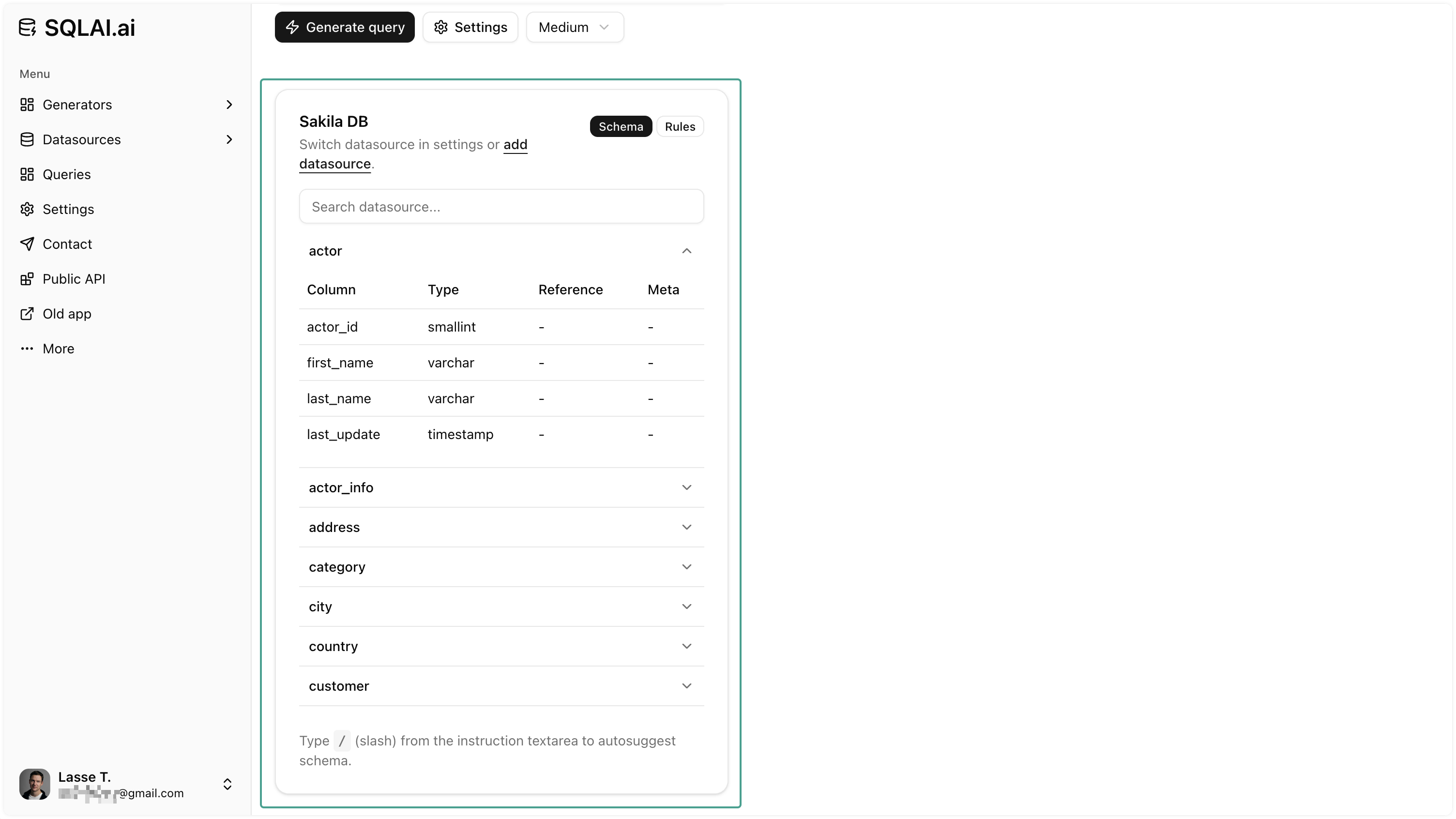
Work without a live connection
No live connection required: add your Access schema or paste an existing query and AI works from that context.
-
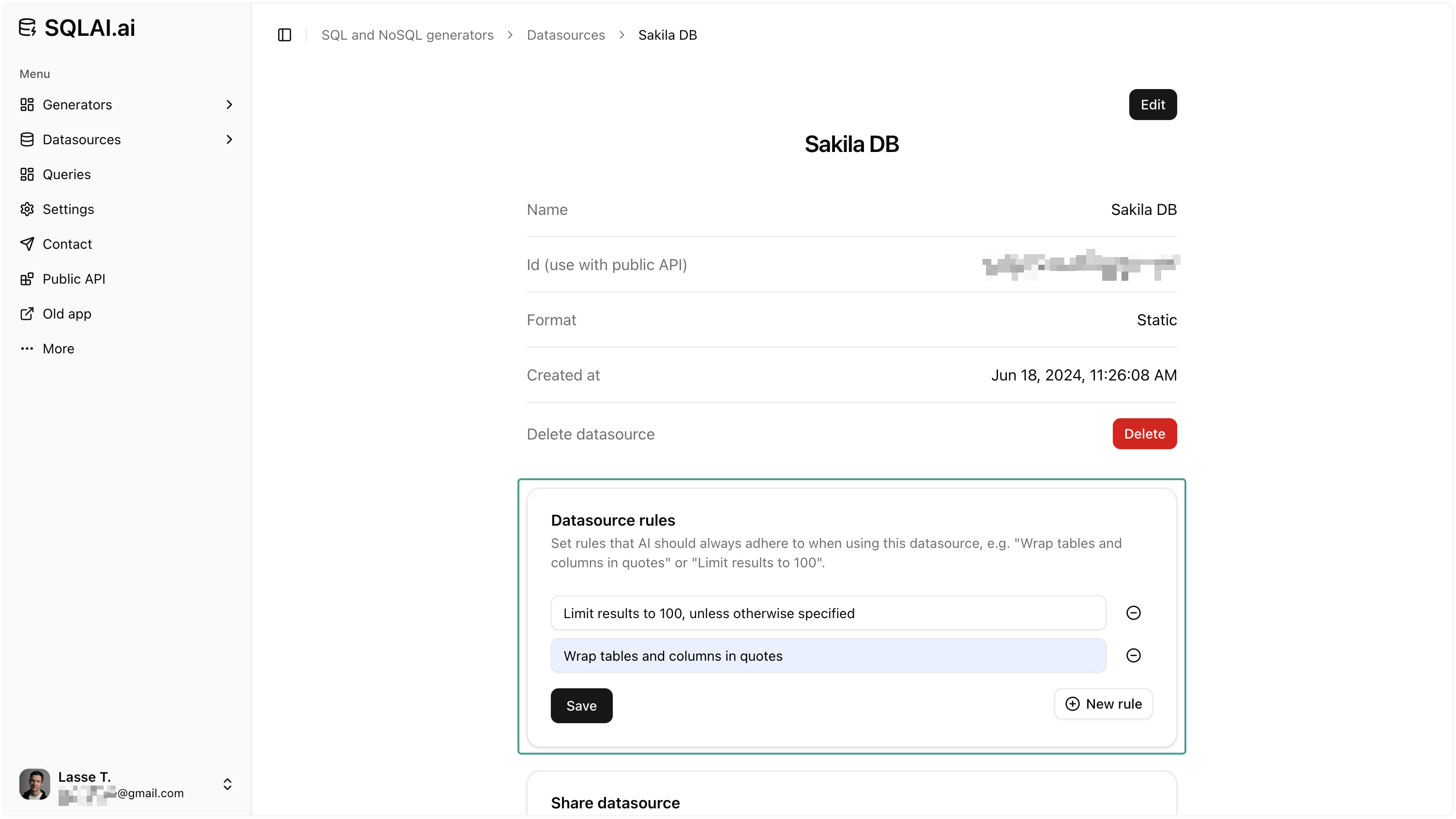
Data source rules
Set naming patterns, row limits, and conventions so every generated query matches your standards.
-
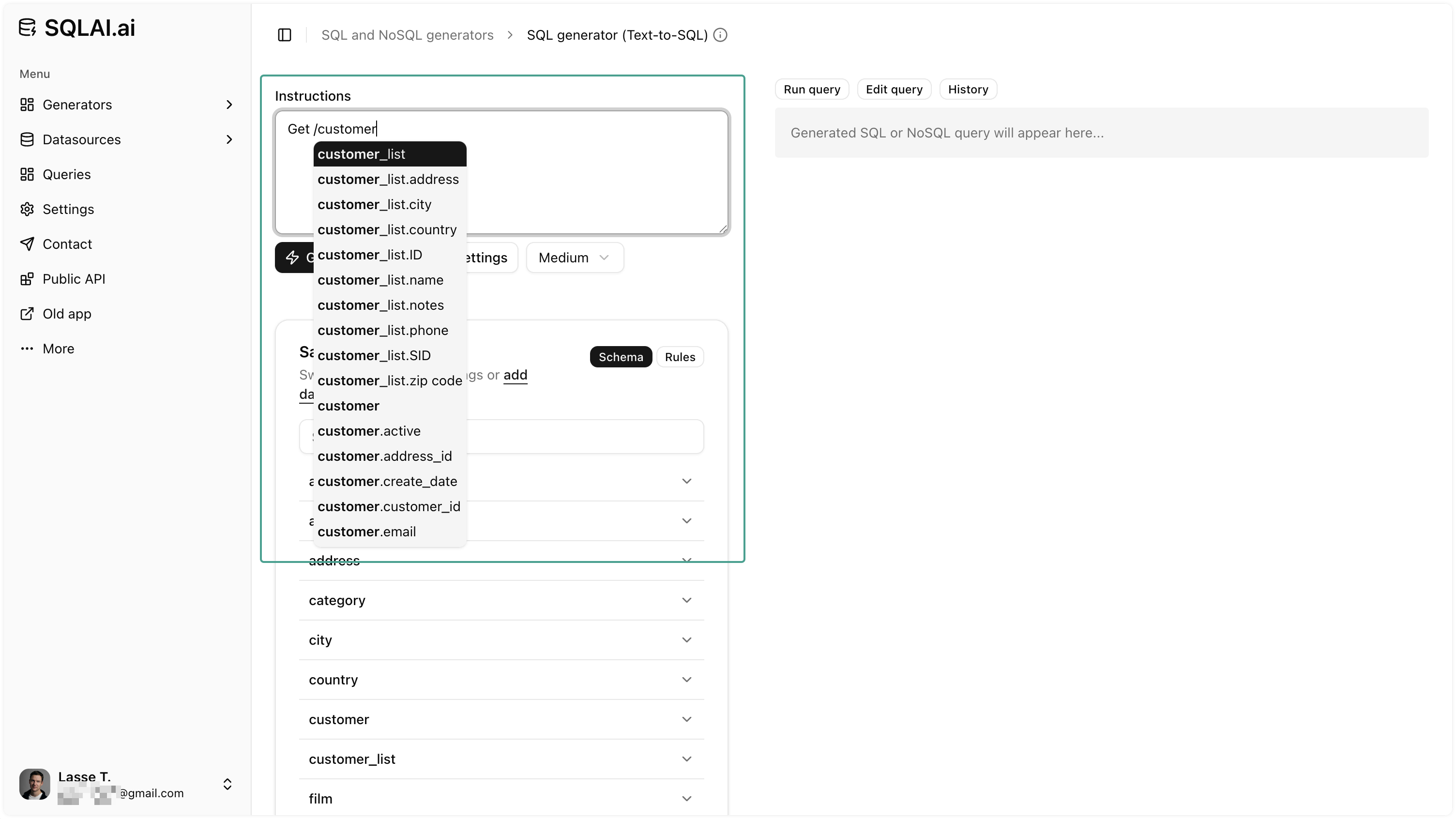
Schema autosuggest
Autocomplete tables and columns while writing prompts to reference the right entities and cut naming errors.
FAQ
Quick answers about generating, optimizing, and validating Microsoft Access SQL with SQLAI.ai.